Hand over files while both devices are online
Use one temporary link for up to five files, recognise the recipient, and distinguish received bytes from a confirmed save.
A live handoff, rather than a stored download
The sender keeps the files on their device. A link helps the two browsers connect; file bytes travel through an encrypted direct connection. The signed invitation carries connection details in its link. URLtoFile handles temporary safety metadata, not file storage. This means the sender must stay online until the handoff finishes. A link cannot deliver files after the sender closes the page or puts their device to sleep.
Practice with harmless files first
Use our fictional inventory CSV and three-page handout PDF with a person you know, or two of your own devices. These owned examples let you check the workflow before relying on a large or important transfer.
- Open Direct file sharing on the sender. Choose the two files. They will be received one at a time, in selection order.
- Choose Invited only when you want to approve each person. Anyone with the link skips approval, so only share that link with the intended recipients.
- Make the link and copy it, or let the recipient scan the QR. Keep the page open. The link lasts two hours; one free thirty-minute extension is available.
- The recipient enters a recognisable name. The host sees a request and allows or declines it. Names are not verified identities, so confirm with the person through your usual channel.
- The recipient presses Download for the first file, then the next. Supported desktop browsers can save the queue to a chosen folder.
Read the progress correctly
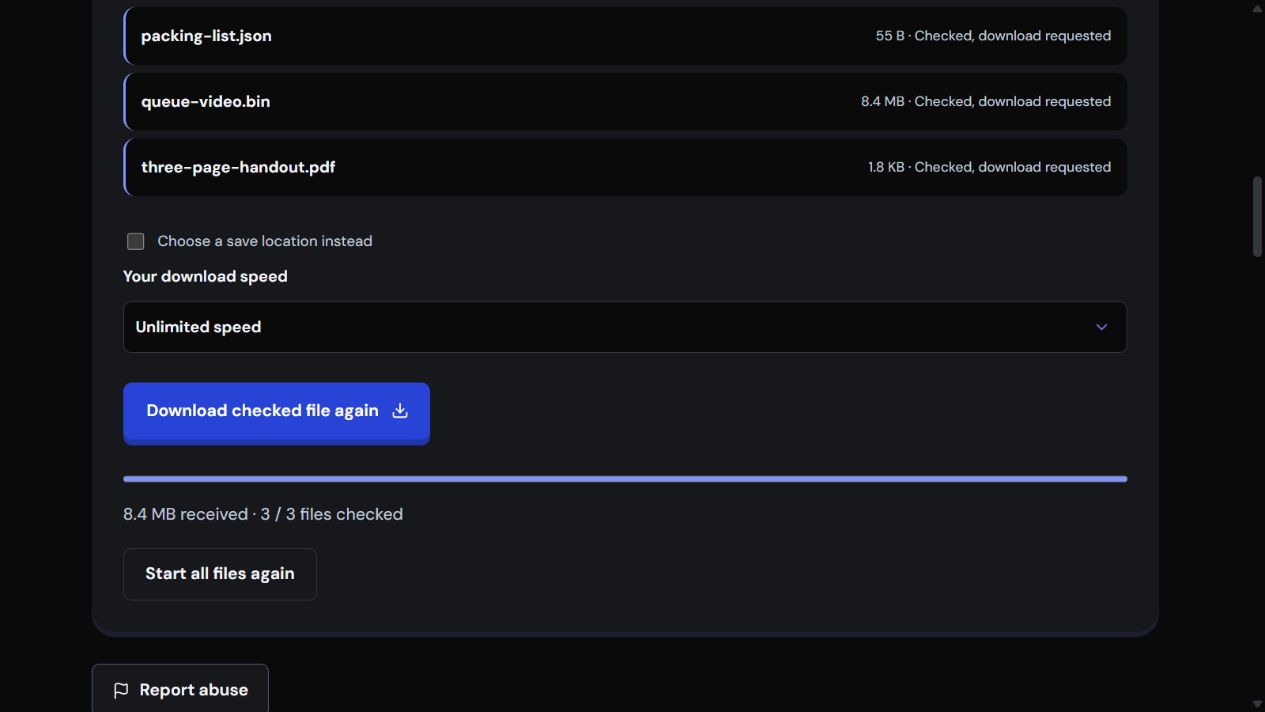
Sent means bytes left the sender's queue. Received means bytes reached the recipient. Checked means the full file passed its integrity check. Browser download requested means the browser was asked to save it; check browser downloads to confirm that it finished. Saved to your chosen location is shown only after a supported disk stream closes successfully. Neither encryption nor an integrity check identifies malware.
Choose the receiving browser for a large file
Swipe the table to compare receiving methods.
| Receiving method | Application limit | What still matters |
|---|---|---|
| Browser memory download | 128 MiB per file | Available memory and browser download controls |
| Supported desktop disk picker | No fixed application file-size cap | Free disk space, two-hour timer and the network |
For large files, use Chrome or Edge on a computer and choose a save location. The supported folder shortcut saves each file in order. Test the intended device first; browser support varies.
Get the best available speed
Unlimited removes the app's speed cap, but cannot improve the sender's upload or receiver's download connection. A fast download plan may still have a slower upload allowance. Use a cable or strong Wi-Fi, pause backups and video streams, keep devices plugged in, and try one recipient before starting five. Recent speed can vary while the connection and storage settle.
If the transfer stops
Reconnect to the same live link in the same receiving tab. Earlier checked files are remembered when the signed file list still matches; only the remaining queue is retried. An unfinished file starts from its beginning, not its partial byte position. Reopening in a fresh tab starts a new queue. Ready connections close after two minutes without a download, so connect when you are ready.
If no direct connection can be made, try another Wi-Fi network or a phone hotspot on either side. A work or school network may block it. The service does not add a paid relay to work around that restriction.
Share only with known people
Reject unexpected requests and unfamiliar files. Use your device's security software. The recipient can Report abuse without sending us the file. The host can disconnect a recipient or Stop sharing to close the link and current connections. Stopping cannot remove a copy already saved.
A checked queue in the real interface